 English (US)


Why Copy-Paste Isn’t Safe? Clipboard Malware Explained
Every seasoned crypto user knows one immutable truth about blockchain transactions: once the funds leave your wallet, there’s absolutely no “undo” button. That finality is both a strength and a glaring weakness when your own clipboard can betray you.
So when you hit send thinking you’re transferring to your friend’s wallet or just on your own other wallet, only to find the funds siphoned off to an attacker’s address, the shock is real. This is not a phishing link, nor is it a social engineering scam. What's happening here is a form of actual malware, which literally hijacks your copy-paste functions.
This type of malware is referred to as Clipboard Hijacking Malware. It may be considered one of the sneakiest types of malware that can be used for financial gains.
We have a dedicated article covering different types of crypto scams and how to protect yourself. Check out our guide on avoiding crypto scams.
What Is Clipboard Malware?
Clipboard malware isn’t a Trojan that steals private keys or breaks encryption. It doesn’t need to. It preys on the most basic and innocent thing a human does: a copy and paste action involving a wallet’s address.
When sending your cryptocurrencies, you don't normally remember long sequence strings of numbers and text. Instead, you copy an address from one window and paste it into another. Crypto addresses are long, arbitrary strings like:
0x6Fb...92f3B5
or
1A1zP1eP5QGefi2DMPTETL5SLmv7DivfNa
How Clipboard Hijacking Malware Works under the Hood
Clipboard malware often arrives through classic infection vectors:
- Fake or pirated software downloads
- Email attachments that execute code
- Infected browser extensions. Remember the recent Trust Wallet extension incident?
- Disguised “wallet tools” or “blockchain utilities”
- Malvertising and drive-by downloads from compromised sites
As soon as it is installed in your device, it usually does one of these things:
- It keeps watch constantly inside your computer's memory for everything you have copied.
- It checks for patterns which match the well known patterns for Crypto addresses like Bitcoin, Ethereum, Litecoin, etc.,
- The moment it recognizes an address associated with cryptocurrency, it replaces the copied content with their own cryptocurrency wallet.
- There are various versions that can survive reboots by registering themselves as a "startup" task, hiding themselves within legitimate-looking applications, etc.

Because of its nature, a traditional AV solution does a poor job of detecting clipboard hijackers, and the user is frequently unaware that something is amiss – that is, until it is very late.
Why Clipboard Hijacking Is Surprisingly Effective
One might be surprised that this is a trick that uses little or no technology. However, it actually works because humans are able to automate their own trust. We copy and paste addresses without reading every character. And this has been exploited for years.
Blockchain transactions don’t offer fraud protection or a dispute mechanism. Once an attacker’s address receives the funds, there’s no customer support to click.
That’s the lethal combination:
Simple technical exploit + human trust + irreversible transactions = money for attackers.
It’s not flashy malware. It doesn’t break wallets. It just silently swaps what you pasted. That’s exactly why it works.
Cases of Clipboard Hijacking Crypto Theft
Let’s ground all this in real cases.
Case 1. Tor Browser Clipper Malware – $400,000+ Stolen
Researchers at Kaspersky uncovered a campaign where attackers distributed a trojanized version of Tor Browser. The executable was bundled inside a fake installer distributed from third-party sites. After installation, the malware registers an entry in the infected system, tracks the clipboard, and modifies the genuine addresses with attacker-controlled addresses. In addition, the malware attackers across 52 countries stole an estimated $400,000 in cryptocurrencies such as Bitcoin, Ethereum, Litecoin, Dogecoin, and Monero [4].
Despite being a relatively low-profile campaign, this shows how widespread and lucrative clipboard hijacking can be when bundled with popular tools.
Case 2. Clipminer – $1.7 Million in Illicit Gains
Symantec’s Threat Hunter Team discovered a sophisticated Trojan known as Clipminer that leveraged clipboard hijacking in combination with cryptomining and address replacement. The malware was spread via cracked and pirated software archives (a classic distribution vector). Once installed, it not only used victims’ systems to mine cryptocurrency but also intercepted and replaced wallet addresses with thousands of attacker-controlled addresses. This campaign reportedly netted the attackers at least $1.7 million [5].
Clipminer is a great example of how simple address replacement can be scaled up into a profitable operation when paired with other malicious functions.
Case 3. Android Clipboard Hijacker on Google Play Store
Security researchers at ESET found a mobile variant of clipboard hijacking malware disguised as a fake MetaMask app on the Google Play Store. The malicious app masqueraded as a legitimate Ethereum wallet service. Once installed, it monitored the clipboard for Ethereum addresses and replaced them, meaning users that thought they were depositing into a legitimate wallet were actually sending funds to the attacker’s wallet [6].
The mobile vector is particularly dangerous because users often feel “safe” using official stores like Google Play, unaware that fake or malicious apps can slip through the cracks.
Case 4. Efimer Trojan on WordPress websites
Efimer Trojan exploited daily crypto workflows for money theft. Between October 2024 and July 2025, this malware infected more than 5,000 people worldwide. The malware uses compromised WordPress sites, malicious torrents, and fake phishing messages with legal notices that dupe individuals into opening attachments. When installed on a computer running the Windows OS, Efimer hides and keeps watch for wallet addresses and phrases for cryptocurrencies and immediately updates the clipboard with addresses controlled by attackers [7].
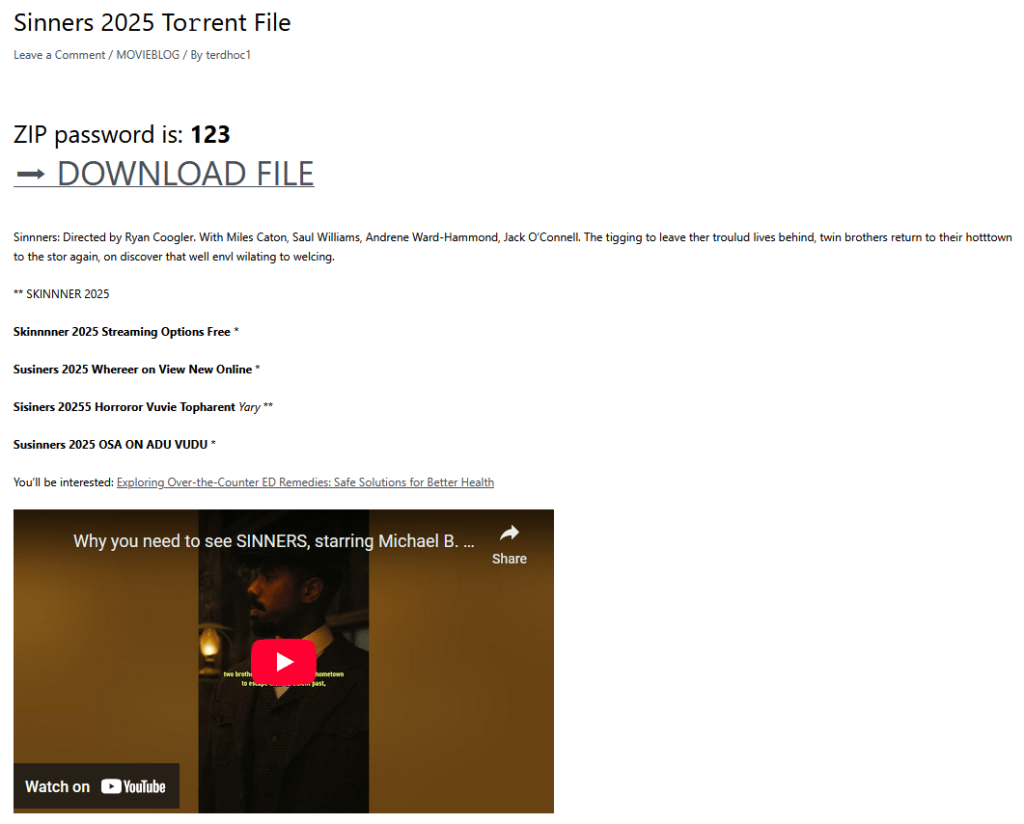 Picture source: Securelist
How This Scam Looks to the Victim
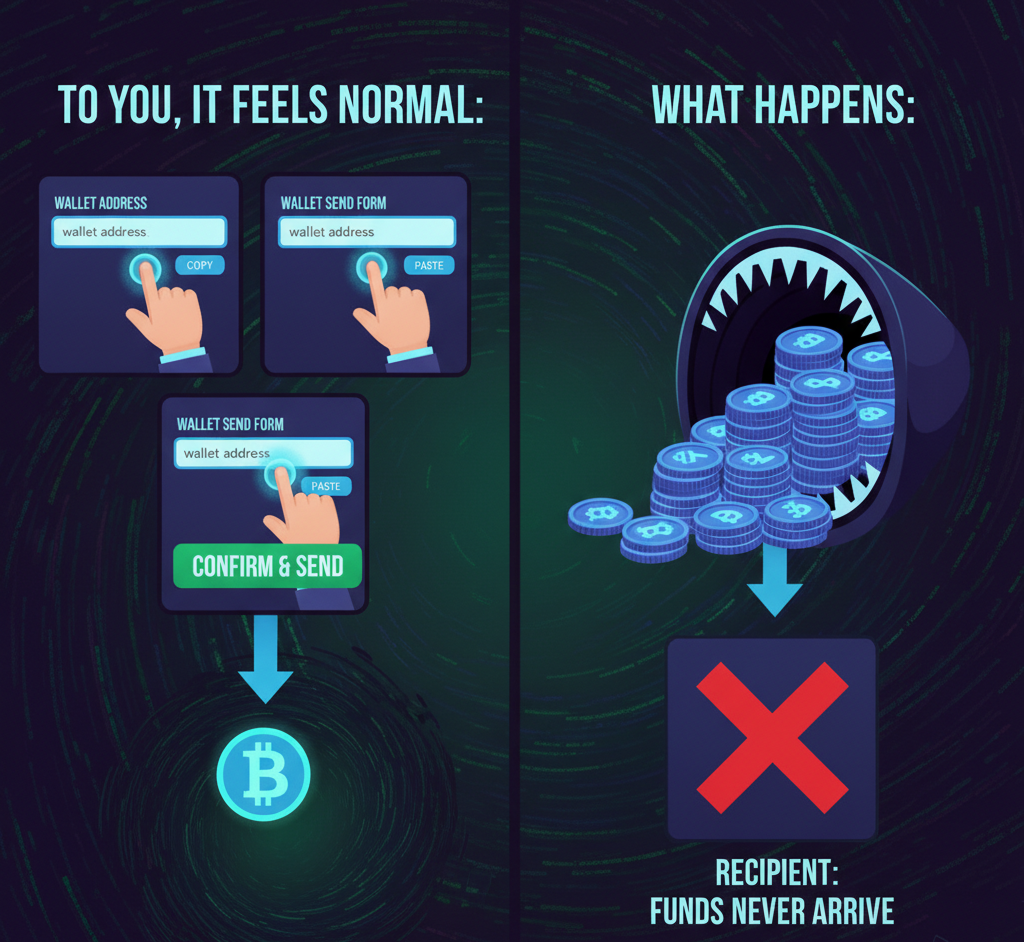
To you, the flow might feel perfectly natural:
- Copy your wallet address, (exchange, hardware wallet, text file, email, etc.).
- Paste it into your wallet’s send form.
- Confirm and then press send.
- Crypto leaves your wallet.
But the recipient does not see this money.
You don’t realize until much later that the address you sent it off to isn’t actually the one you copied.
The victims reportedly noted that the address appeared very similar, with the same prefix and the same suffix, but different in the middle portion. The similarity makes it less suspicious because humans are accustomed to checking the beginning and ending of a string of characters.
Why You Can’t Trust “Copy-Paste” Blindly Anymore
This is the uncomfortable truth:
Clipboard actions are an untrusted interface due to the fact that malware can intercept and manipulate them without any real obvious warning signs.
Crypto wallets often rely on copy/paste for address accuracy because manually typing a 42-character Ethereum address would be cruel. But the very convenience that makes the user experience smooth also opens a silent backdoor for malware.
You could be using a brand new machine. You may think you're safe, but just one downloaded tool, browser extension, or opened phishing attachment can let the clipboard hijackers nestle into your system.
The blockchain will go ahead and process the transaction. But your funds? They go somewhere else.
How to Detect Clipboard Malware
The discovery of clipboard hijacking malware may be tricky, but there are some signs that are commonly associated with it:
- The pasted address does not look normal, even if only slightly.
- Money is sent, but the intended person never receives it.
- You notice strange programs or startup entries on your device that you didn’t authorize.
There are many tools designed to identify suspicious behavior, particularly when anything unusual happens to the clipboard or with file management.
The key is to inspect every address every time – don’t just glance at the first and last characters.
How to Prevent Clipboard Malware Losses
Here’s the practical part – what you actually need to do to stay safe:
| Action | Description |
|---|---|
| ✅ Using QR Codes Instead of Copy-Paste | If possible, use your wallet app to scan the QR code directly rather than the clipboard method. Scanning bypasses the clipboard entirely, which renders the risk of malware interception even lower. |
| ✅ Always Double-Check the Full Address | Don't merely look at the first and last 4–6 characters. Compare the strings character by character. It's tedious, but worth it. |
| ✅ Use Trusted Wallets and Official Apps | Avoid installing “third-party wallets,” unofficial versions of well-known applications or software, or browser add-ons distributed by unknown sources. |
| ✅ Avoid Cracked or Pirated Software | Some clipboard hijackers use cracked games, downloads of torrents, and stolen application program interfaces. That is, the “free” application might cost you heavily in cryptocurrencies. |
| ✅ Keep Your System Clean | Run legitimate antivirus and anti-malware programs. Ensure that all programs, including these, remain up to date. Utilize programs that indicate recent items used on the clipboard. |
| ✅ Segregate Transactions | When it is necessary to transfer larger amounts of cryptocurrency, it is always important to first transfer a smaller one before proceeding with the transfer of larger amounts. |
| ✅ Consider Hardware Wallets with On-Device Display | Hardware wallets show the full address on the device screen itself before you confirm a send. Therefore, it’s not possible to manipulate the clipboard on your computer as it will not affect the screen. |
The Future of Clipboard Security and Crypto UX
Crypto UX needs to evolve. Relying on human trust in copy/paste is a security dead end. Wallets and protocols may:
- Integrate address confirmation tools that can match pasted addresses with originals.
- Display addresses in their entirety on device screens, never using host OS clipboards.
- Safe auto-fill implementation should be made possible by integrating it with secure communication channels instead of with plain clipboard buffer functions
Some wallets already display the full address and request manual confirmation, which is an improvement.
However, in a more general sense, the interface needs to respect the finality of a blockchain-based transaction, which essentially implies a design focused more on verifications than ease of use.
Conclusion: Trust, but Verify Every Single Time
Clipboard hackers within the crypto space are the unsaid threat in the field, being less flashy but equally, if not more, successful in stealing user assets. Particularly because they target the user's trust for ease of use.
One threat that every user of cryptocurrency should consider to be real is one that needs to be taken seriously. Trust your clipboard? No serious user should ever do that. Consider it a potential attack vector? You're long overdue to start taking yourself as seriously as you should to protect yourself from a world where no bank to refund your mistakes exists.
Sources
- Avoid Crypto Scams – ChangeNOW Blog
- Fake Captcha Websites Hijack Your Clipboard to Install Information Stealers – Malwarebytes
- Clipboard Hijacking Attack – NordVPN Cybersecurity Glossary
- New Clipper Malware Steals $400,000 in Cryptocurrencies via Fake Tor Browser – Kaspersky
- Clipminer Malware Actors Steal $1.7 Million Using Clipboard Hijacking – The CyberPost
- First Clipper Malware Discovered on Google Play – ESET
- Efimer Trojan – Securelist